Extract Text
Export a PDF's selectable text as a plain text file. This is useful for notes, searching, or reusing words outside the document.
Save the text
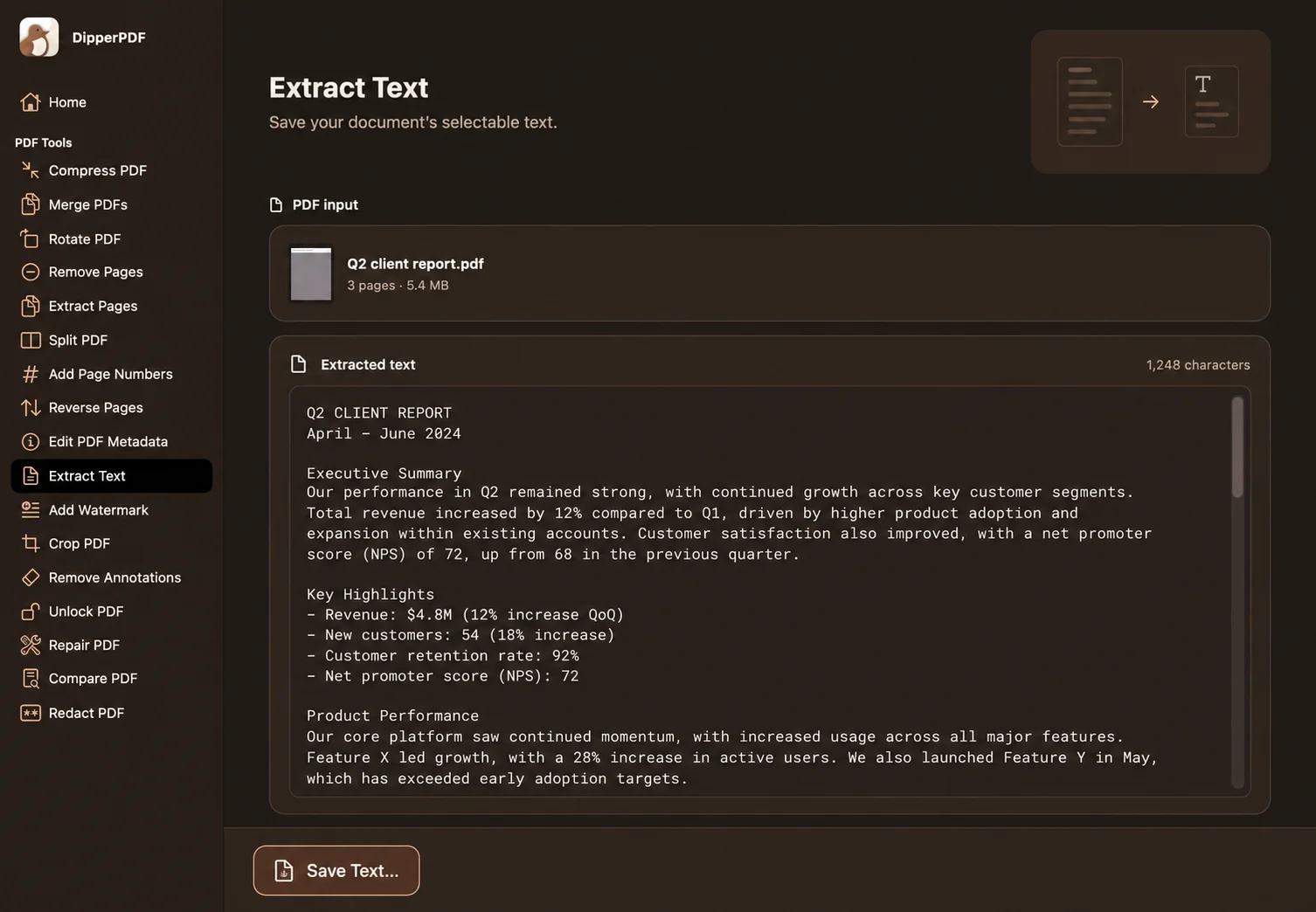
- Choose Extract Text and open your PDF.
- Click Extract Text and review the selectable text under Result ready.
- Click Save Text… and choose a name and destination for the UTF-8
.txtfile. - Open the saved file in a text editor and check the reading order.
The output uses page order, with a blank line between pages. Your source PDF stays unchanged.
Limits and empty results
Layout and formatting are not preserved. Text within columns, tables, or complex layouts may appear in an unexpected reading order.
Text inside scanned images needs OCR and is not extracted. DipperPDF does not include OCR. If there is no selectable text, the tool reports that it could not find text instead of saving an empty output. A mixed document exports available text but does not transcribe its scanned pages.
To save the pages themselves, use Extract Pages. Encrypted documents need Unlock PDF first.